


As technology evolves, it brings new opportunities to enhance independence and safety for older adults. Senior home automation is transforming daily routines, making it possible for people to remain comfortable and secure in their own homes for longer. From voice-activated assistants to smart sensors and automated lighting, these innovations are designed to simplify tasks, reduce risks, and provide peace of mind for both seniors and their families.
This article explores how smart home solutions can support aging in place, improve quality of life, and address common challenges faced by seniors. Whether you’re a caregiver, a family member, or an older adult interested in upgrading your living environment, you’ll find practical advice and actionable steps for creating a more connected, accessible home.
For those interested in holistic wellness, consider exploring senior relaxation strategies that complement a tech-enabled lifestyle.
Why Smart Home Technology Matters for Older Adults
The desire to age in place is common, but it comes with unique challenges. Everyday activities—like turning on lights, adjusting thermostats, or remembering to lock doors—can become more difficult with age or limited mobility. Senior home automation addresses these issues by offering solutions that are both convenient and secure.
- Safety: Automated lighting, smart locks, and security cameras help prevent accidents and deter intruders.
- Independence: Voice assistants and remote controls make it easier to manage household tasks without physical strain.
- Peace of Mind: Family members and caregivers can monitor well-being and receive alerts in case of emergencies.
- Energy Efficiency: Smart thermostats and appliances help reduce utility costs and environmental impact.
Essential Senior Home Automation Devices
There’s a wide range of smart devices designed to support seniors at home. Selecting the right combination depends on individual needs, preferences, and the layout of the living space. Here are some of the most effective options:
1. Voice-Activated Assistants
Devices like Amazon Echo or Google Nest allow users to control lights, thermostats, and entertainment systems with simple voice commands. These assistants can also set reminders for medications, appointments, or daily routines, making them invaluable for memory support.
2. Smart Lighting and Motion Sensors
Automated lighting systems can be programmed to turn on or off at specific times or in response to movement. This reduces the risk of falls and makes nighttime navigation safer. Motion sensor night lights are especially useful in hallways, bathrooms, and bedrooms.
3. Smart Security Systems
Video doorbells, smart locks, and window sensors help protect the home from unauthorized entry. Many systems can be monitored remotely, allowing caregivers or family members to check in from anywhere.
4. Automated Medication Dispensers
These devices remind users to take their medication and dispense the correct dose at the right time. Some models send alerts to caregivers if a dose is missed, reducing the risk of medication errors.
5. Fall Detection and Emergency Response
Wearable devices and bed exit alarms can detect falls or unusual inactivity, automatically alerting emergency contacts. This technology is especially important for those living alone or with mobility challenges.
How to Choose the Right Smart Devices for Your Needs
Selecting the best home automation for seniors starts with a clear understanding of daily routines, health conditions, and living arrangements. Here are some steps to guide your decision:
- Assess the Home: Identify areas where automation could improve safety or convenience, such as entryways, bathrooms, or kitchens.
- Prioritize Needs: Focus on essential features first—like lighting, security, or medication reminders—before adding extras.
- Consider Ease of Use: Choose devices with simple interfaces, large buttons, or voice control to accommodate limited dexterity or vision.
- Check Compatibility: Ensure new devices work with existing systems or platforms to avoid unnecessary complexity.
- Plan for Support: Look for products with reliable customer service and easy-to-follow instructions.
Tips for a Smooth Transition to an Automated Home
Introducing new technology can feel overwhelming, especially for those unfamiliar with smart devices. Here are some ways to make the process easier:
- Start small by automating one or two tasks, such as lighting or medication reminders.
- Demonstrate how each device works and provide written instructions for reference.
- Encourage practice and patience—learning new routines takes time.
- Involve family members or caregivers in setup and troubleshooting.
- Regularly review and update devices to ensure they continue meeting changing needs.
For those interested in maintaining physical well-being alongside a tech-enabled lifestyle, practical senior exercise routines can further support independence at home.
Integrating Automation with Other Support Systems
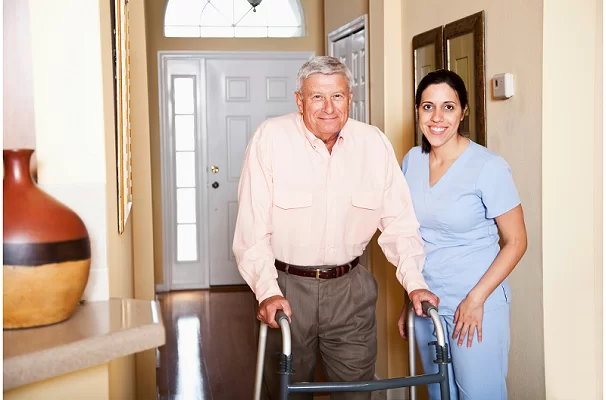
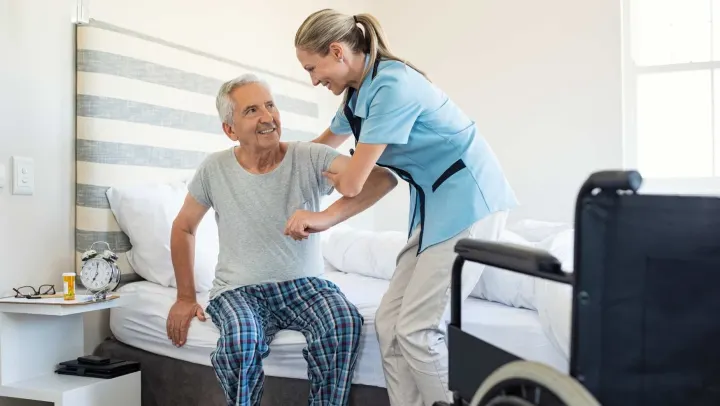
While smart technology offers many benefits, it works best when combined with other support strategies. For example, pairing senior home automation with mobility aids can create a safer, more accessible environment. For additional ideas, see this guide on helping seniors with mobility aids.
It’s also important to consider emotional and mental health. Integrating automated reminders for relaxation exercises, therapy appointments, or social activities can help maintain a balanced lifestyle. Explore more options in the senior therapy resource.
Common Challenges and How to Overcome Them
While the benefits of home automation for seniors are significant, some obstacles may arise during implementation:
- Technology Hesitancy: Some older adults may feel intimidated by new devices. Offer reassurance, hands-on demonstrations, and ongoing support.
- Connectivity Issues: Reliable Wi-Fi is essential for most smart devices. Consider upgrading your network or using wired connections where possible.
- Privacy Concerns: Choose reputable brands with strong privacy policies and educate users about device settings and permissions.
- Cost: Start with the most impactful devices and expand as budget allows. Many solutions are available at various price points.
For a comprehensive approach to health and wellness, the senior healthcare guide provides additional resources and tips.
FAQ
What Are the Most Important Smart Devices for Seniors Living Alone?
The most valuable devices typically include voice-activated assistants, automated lighting, smart locks, and fall detection systems. These tools address safety, convenience, and emergency response, making daily life easier and more secure.
How Can I Help My Parent Get Comfortable with Home Automation?
Start by introducing one device at a time and focusing on features that solve immediate needs. Provide clear instructions, demonstrate usage, and offer ongoing support. Involving your parent in the selection and setup process can also boost confidence and acceptance.
Is Home Automation Expensive to Install and Maintain?
Costs vary depending on the number and type of devices chosen. Many smart products are affordable and easy to install without professional help. Start with essential devices and expand as needed. Regular maintenance is usually minimal, involving software updates and occasional battery replacements.