


Finding your way on the road can be challenging, especially as technology evolves. For older adults, having a reliable and straightforward navigation app makes driving safer and less stressful. The best navigation apps for seniors are designed with simplicity, clear visuals, and voice guidance, ensuring users can focus on the road instead of fiddling with complicated menus.
Whether you’re running errands, visiting family, or exploring new places, choosing the right driving map can make every trip smoother. This guide highlights top-rated apps, features to look for, and practical tips to help seniors stay confident behind the wheel. For those interested in other helpful devices, you might also want to explore our recommendations for best hydration tracking devices to support overall wellness.
Why Simple Navigation Tools Matter for Older Drivers
As we age, our vision, hearing, and reaction times can change. Complicated digital interfaces or small text can make navigation apps frustrating or even unsafe. That’s why it’s important to choose user-friendly GPS apps that prioritize large buttons, clear directions, and minimal distractions. Many seniors also appreciate features like voice commands, offline maps, and easy-to-read displays.
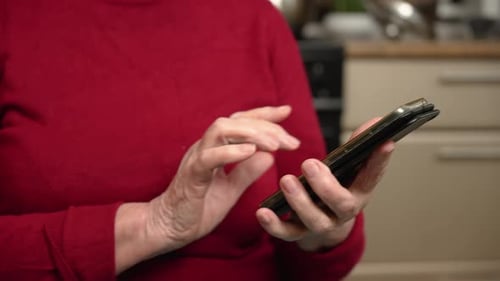
Some smartphones, such as those from Doro, are specifically designed for older users, pairing well with accessible navigation apps. The right combination of device and app can boost confidence and independence for drivers of any age.
Top Features to Look for in Senior-Friendly Driving Apps
When evaluating navigation apps for seniors, keep an eye out for these essential features:
- Large, high-contrast buttons for easy tapping and visibility
- Clear, spoken turn-by-turn directions to minimize screen interaction
- Simple, uncluttered interface with minimal pop-ups or ads
- Offline map options for use in areas with poor cellular coverage
- Speed limit and traffic alerts for safer driving
- Favorites and recent destinations for quick access to common routes
Apps that offer customization—such as font size adjustments or color schemes—can further enhance usability for those with vision changes.

Leading Navigation Apps That Are Senior-Friendly
Several apps stand out for their ease of use, reliability, and accessibility. Here’s a closer look at some of the most recommended options for older adults:
Google Maps: Reliable and Familiar
Google Maps is widely used and offers a familiar interface for many. It features large, clear buttons and spoken directions. Seniors can save favorite locations, view real-time traffic, and use offline maps. The search function is straightforward, and the app is free on both Android and iOS devices.
Waze: Community-Driven Simplicity
Waze is known for its real-time, community-sourced traffic updates. The app’s interface is colorful and easy to navigate, with large icons and simple menus. Voice instructions are clear, and users can set up planned drives in advance. Waze is ideal for seniors who want to avoid traffic jams and road hazards.
MapQuest: Straightforward and Accessible
MapQuest remains a favorite for those who prefer a no-nonsense approach. Its interface is uncluttered, with prominent navigation buttons and easy-to-read maps. The app provides voice guidance, live traffic updates, and the ability to save frequent destinations. MapQuest is available for free and works well on most smartphones.
Sygic GPS Navigation: Offline Maps for Peace of Mind
Sygic offers robust offline navigation, making it a top choice for seniors who travel in areas with spotty cell service. The app’s interface is clean, and the voice directions are easy to follow. Sygic also features speed limit warnings and lane guidance, which can be especially helpful for older drivers.
How to Set Up and Use Navigation Apps Easily
Getting started with a new driving map app doesn’t have to be intimidating. Here are some tips to make the process smoother:
- Download the app from the official app store (Google Play or Apple App Store).
- Open the app and allow necessary permissions, such as location access.
- Adjust settings for font size, voice volume, and display preferences.
- Save home, family, and doctor addresses as favorites for quick access.
- Test the app on a short, familiar route before using it for longer trips.
If you use a phone made for seniors, like those from Doro, most navigation apps will work seamlessly. For added safety, consider pairing your navigation tool with portable emergency radios for reliable communication during travel.
Extra Tips for Safe and Stress-Free Driving
Navigation apps are just one part of a safe driving experience. Here are a few additional suggestions to help seniors stay secure and comfortable on the road:
- Keep your device charged or use a car charger to avoid losing navigation mid-trip.
- Mount your phone or tablet securely at eye level to minimize distractions.
- Update your app regularly to access the latest maps and safety features.
- Consider using battery backup devices for seniors for added peace of mind during long journeys.
- Familiarize yourself with the app’s emergency features, such as sharing your location with family.
Combining these habits with a senior-friendly navigation app can make every drive more enjoyable and less stressful.
FAQ: Senior Navigation Apps and Driving Maps
What makes a navigation app suitable for older adults?
The best options for seniors offer large buttons, clear voice guidance, and a simple interface. Customizable settings for font size and color contrast also help users with vision changes.
Can these apps be used without an internet connection?
Many navigation apps, such as Sygic and Google Maps, allow users to download maps for offline use. This is especially helpful in rural areas or places with poor cellular coverage.
Are there devices that work better with senior-friendly navigation apps?
Phones designed for older adults, like those from Doro, often feature larger screens and simplified controls, making them ideal companions for easy-to-use driving maps.
What other tech products can help seniors stay safe on the road?
In addition to navigation tools, consider smart locks for elderly users for home security and wireless doorbells for seniors for added convenience.
Choosing the right navigation app can help seniors maintain independence, confidence, and safety while driving. With the right features and a bit of setup, technology can be a valuable companion on every journey.