

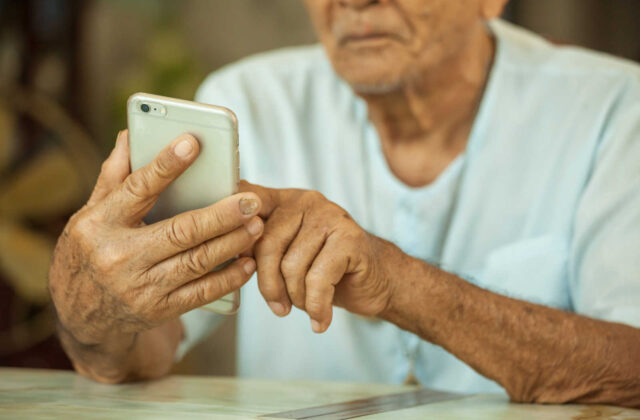
Finding the best phones for elderly parents is about more than just choosing a device with the latest technology. For many families, it’s essential to select a phone that offers simplicity, clear displays, loud speakers, and reliable emergency features. As our loved ones age, their needs change, and so do the features that matter most in a mobile device. Whether your parent prefers a classic flip phone or wants to try a simplified smartphone, the right choice can help them stay connected, safe, and independent.
This guide highlights the top ten user-friendly mobile devices for seniors in 2026. We’ll cover essential features, compare popular models, and share expert tips for choosing a phone that matches your parent’s lifestyle and comfort level. If you’re also considering tablets or devices with special safety functions, you might find our resources on voice controlled tablets and phones with emergency SOS button helpful as well.
Why Simplicity Matters in Senior-Friendly Phones
Many older adults prefer devices that are easy to operate. Complicated menus, small buttons, and cluttered screens can be frustrating. The best mobile phones for seniors are designed with large, tactile keys, clear displays, and straightforward navigation. Some models even include dedicated emergency buttons and hearing aid compatibility, making them especially suitable for those with health or mobility challenges.
When evaluating options, keep in mind factors such as:
- Large, high-contrast displays for easy reading
- Physical buttons or simplified touchscreens
- Loud, clear speakers and adjustable volume
- Emergency features like SOS buttons
- Long battery life
- Simple charging solutions
Top 10 User-Friendly Mobile Devices for Seniors in 2026
Below you’ll find our curated list of the most accessible and practical phones for older adults this year. Each device has been selected for its ease of use, reliability, and features that support senior independence.
1. Jitterbug Flip2
The Jitterbug Flip2 remains a favorite for its large buttons, bright screen, and dedicated emergency response button. Its simple menu and loud speaker make it ideal for those who want a no-fuss calling experience.
2. GrandPad Tablet
While technically a tablet, the GrandPad offers phone calling, video chat, and internet access in an ultra-simple interface. It’s perfect for seniors who prefer a larger screen and want to stay in touch with family via video calls. For those interested in purchasing, see the CTA below after the next image.
3. Doro 7050
This flip phone is designed with seniors in mind, offering a clear display, large keys, and an assistance button for emergencies. It’s compatible with hearing aids and has a straightforward menu system.
4. Alcatel Go Flip 4
Known for its durability and ease of use, the Go Flip 4 features a simple interface, long battery life, and a loud speaker. It’s an excellent choice for those who want basic calling and texting functions.
5. Samsung Galaxy A14 (Easy Mode)
For seniors who want a smartphone experience, the Galaxy A14’s Easy Mode simplifies the interface with larger icons and streamlined menus. It also offers a bright display and reliable performance.

6. Snapfon ez4G
The Snapfon ez4G is built for accessibility, featuring oversized buttons, a talking keypad, and an SOS emergency button. Its simple design and clear audio make it a strong contender for seniors who value safety and ease of use.
7. Lively Smart3
This smartphone is tailored for older adults, offering a simplified interface, voice typing, and urgent response services. It’s a great option for those who want smartphone features without the complexity.
8. Nokia 2780 Flip
With its classic flip design, the Nokia 2780 Flip provides tactile buttons, a bright screen, and reliable call quality. It’s straightforward and durable, making it a solid choice for seniors who prefer traditional phones.
9. Easyfone T200
The Easyfone T200 stands out for its large buttons, clear display, and dedicated SOS button. It supports speed dial and is compatible with hearing aids, adding extra convenience for users.
10. Apple iPhone SE (with Accessibility Settings)
For tech-savvy seniors, the iPhone SE offers robust accessibility features, including voice control, magnifier, and customizable display settings. When set up with larger icons and simplified menus, it can be surprisingly user-friendly.

How to Choose the Right Device for Your Parent
When selecting a phone for an older adult, consider their comfort with technology and any physical or cognitive challenges. Some may prefer a device with only basic calling and texting, while others might want to use apps, video chat, or internet browsing. If your parent is new to mobile devices, look for phones with simple interfaces and minimal setup. For those who want more features, choose a smartphone with an easy mode or accessibility settings.
It’s also wise to think about:
- Battery life and charging style (docking stations are often easier than cables)
- Volume controls and speaker quality
- Emergency features, such as SOS buttons or fall detection
- Compatibility with hearing aids
- Carrier compatibility and monthly costs
For a deeper dive into devices with large buttons, see our guide to large button cell phones. If your loved one is interested in a simple tablet, our article on easy tablets for beginners provides more options.
Essential Features to Look For in Senior Phones
Not all phones marketed to seniors are created equal. The most suitable options combine thoughtful design with practical features. Here are some of the most important elements to look for:
- Emergency Assistance: Devices with a dedicated SOS button can quickly connect your parent to help in urgent situations.
- Hearing Aid Compatibility: Look for phones rated M3/T3 or higher for best results with hearing aids.
- Simple Navigation: Menus should be uncluttered, with large icons and clear labeling.
- Long Battery Life: Seniors may forget to charge their phones daily, so a device that lasts several days is ideal.
- Clear Audio: Adjustable volume and noise reduction help ensure calls are easy to hear.
For more information on the easiest devices for older adults, see this comprehensive guide to senior-friendly phones from SeniorLiving.org.
Frequently Asked Questions
What is the easiest phone for seniors to use?
Many older adults find flip phones like the Jitterbug Flip2 or Doro 7050 to be the simplest, thanks to their large buttons, clear displays, and straightforward menus. For those comfortable with touchscreens, devices with an “easy mode” or simplified interface, such as the Lively Smart3 or Samsung Galaxy A14, are also excellent choices.
Are smartphones a good choice for elderly parents?
Smartphones can be a great option if your parent wants to use apps, video chat, or browse the internet. Look for models with accessibility settings and easy modes to reduce complexity. The iPhone SE and Samsung Galaxy A14 are both popular for their customizable features and user-friendly interfaces.
What features should I look for in a phone for my elderly parent?
Prioritize large, readable screens, big buttons or icons, loud speakers, and emergency features like SOS buttons. Hearing aid compatibility and long battery life are also important. Consider your parent’s comfort with technology and choose a device that matches their needs and preferences.
Final Thoughts
Choosing the right phone for an older loved one can make a significant difference in their daily life. The best phones for elderly parents combine ease of use, safety features, and reliable performance. Take time to assess your parent’s needs and preferences, and don’t hesitate to explore additional resources on easy to use smartphones for seniors if you need more options. With the right device, your parent can stay connected, safe, and confident in today’s digital world.