

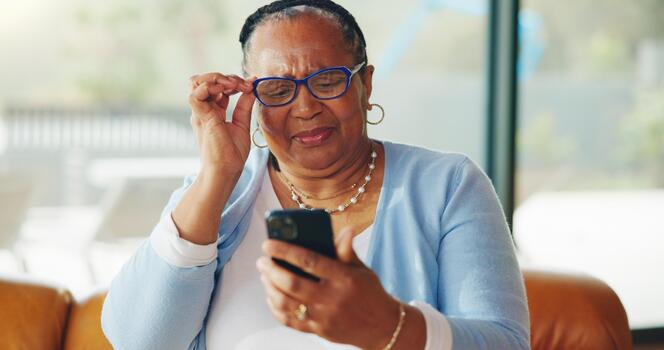
Finding a camera that’s straightforward and reliable can make a big difference for older adults who want to capture memories without hassle. Many seniors prefer devices that are uncomplicated, with large buttons, clear menus, and minimal setup. Whether it’s for family events, travel, or everyday moments, choosing the right camera can empower seniors to enjoy photography with confidence.
This guide explores easy to use cameras for seniors, focusing on simple point-and-shoot models that offer user-friendly features. We’ll look at what makes a camera senior-friendly, review top options, and provide practical tips for selecting the best device for individual needs. If you’re interested in other helpful gadgets, you might also want to check out portable chargers for seniors to keep your devices powered on the go.
What Makes a Camera Senior-Friendly?
When searching for the ideal camera for older adults, several features stand out. The best options prioritize simplicity, comfort, and accessibility. Here’s what to look for:
- Large, Clearly Labeled Buttons: Controls should be easy to see and press, even for those with limited dexterity or vision.
- Simple Menus: A straightforward interface with minimal layers helps avoid confusion and frustration.
- Lightweight and Comfortable Grip: A compact, ergonomic design makes it easier to hold the camera steady.
- Automatic Modes: Features like auto-focus, face detection, and scene recognition take the guesswork out of photography.
- Bright, High-Contrast Screen: A clear display is essential for framing shots and reviewing images.
- Long Battery Life: Fewer charging sessions mean more time capturing memories.
Some seniors may also benefit from cameras with built-in Wi-Fi for easy sharing, or models that support voice guidance or audio feedback. For those with hearing loss, pairing a camera with a compatible smartphone can be helpful. You can find more information about smartphones designed for hearing aid compatibility to enhance the overall experience.
Top Simple Point-and-Shoot Cameras for Older Adults
Below are some of the most recommended models that combine ease of use with reliable performance. These devices are great for anyone who values straightforward operation and quality results.
Canon PowerShot ELPH Series
The Canon PowerShot ELPH line is known for its compact size and intuitive controls. These cameras feature large, easy-to-read buttons and a simple menu system. The auto mode handles most settings, so users can focus on framing their shot. The lightweight build makes it comfortable for extended use, and the rechargeable battery lasts for hundreds of photos.
Sony Cyber-shot DSC-W800
This model is a favorite among those seeking a no-fuss camera. The Sony Cyber-shot DSC-W800 offers a straightforward interface, a dedicated movie button, and a 5x optical zoom. Its “Easy Mode” simplifies the menu even further, displaying only the most essential options. The camera’s compact design and clear LCD screen make it a practical choice for seniors.
Fujifilm Instax Mini
For those who enjoy instant prints, the Fujifilm Instax Mini is a fun and simple option. It uses instant film to produce credit card-sized photos in seconds. With minimal controls and a straightforward point-and-shoot experience, it’s ideal for capturing moments and sharing physical photos with friends and family.
GrandPad Tablet Camera
While not a traditional camera, the GrandPad tablet includes a built-in camera with a highly accessible interface. Designed specifically for seniors, it offers large icons, voice prompts, and easy photo sharing. The GrandPad is especially useful for those who want to stay connected with family through video calls and photo sharing, all in one device.
Key Features to Consider When Choosing a Camera
When comparing options, it’s important to match the camera’s features to the user’s needs and preferences. Here are some important factors to keep in mind:
- Resolution: While high megapixels are nice, most seniors will be satisfied with 10–16MP for everyday photos.
- Zoom: Optical zoom is more important than digital zoom for clear, close-up shots.
- Stabilization: Image stabilization helps reduce blur, especially for those with shaky hands.
- Battery: Look for models with long battery life or easy-to-replace batteries.
- Viewfinder: Some people prefer a traditional viewfinder over an LCD screen, especially outdoors.
- Connectivity: Wi-Fi or Bluetooth can make it easier to transfer photos to other devices.
For seniors who travel or spend time outdoors, consider pairing a camera with calendar reminder devices for seniors to help keep track of events and photo opportunities.

Tips for Getting the Most Out of a Senior-Friendly Camera
Once you’ve selected a camera, a few simple steps can help ensure a positive experience:
- Read the Manual: Even the simplest cameras come with helpful guides. Take a few minutes to review the basics.
- Practice at Home: Try taking photos in different lighting and settings to get comfortable with the controls.
- Use Automatic Modes: Let the camera handle focus and exposure for worry-free shooting.
- Organize Photos: Regularly transfer images to a computer or tablet to keep the memory card clear and photos safe.
- Ask for Help: Family members or friends can assist with setup or troubleshooting if needed.
For those who want to record voice notes or reminders while taking photos, consider exploring voice recorders for memory support as an additional tool.
Additional Accessories and Helpful Devices
Enhancing the camera experience can be as simple as adding a few accessories:
- Protective Case: Keeps the camera safe from drops and scratches.
- Extra Memory Cards: Ensures there’s always space for more photos.
- Tripod: A small, lightweight tripod can help with stability for group shots or low-light conditions.
- Portable Charger: For extended outings, a backup battery or portable charger is invaluable.
Some seniors also appreciate devices that announce the time or provide reminders. If this sounds useful, take a look at talking clocks for seniors for voice-announced timekeeping.
FAQ: Cameras for Seniors
What is the easiest camera for a senior to use?
Many older adults find point-and-shoot models like the Canon PowerShot ELPH or Sony Cyber-shot DSC-W800 to be the most straightforward. These cameras offer automatic settings, large buttons, and clear displays, making them accessible for users of all skill levels.
Are smartphones a good alternative to dedicated cameras for seniors?
Smartphones can be a convenient option, especially for those already comfortable with touchscreens. Many modern phones have excellent cameras and simple photo apps. However, some seniors prefer the tactile buttons and dedicated functions of a traditional camera. For those with hearing aids, it’s worth exploring phones designed for hearing loss to ensure compatibility.
How can I help a senior learn to use a new camera?
Start by reviewing the manual together and demonstrating basic functions like turning the camera on, taking a photo, and reviewing images. Encourage practice in a relaxed setting and offer ongoing support. Some community centers or libraries also offer photography classes tailored for beginners.
What features should I avoid in a camera for seniors?
Overly complex cameras with small buttons, confusing menus, or too many manual controls can be frustrating. It’s best to choose models that focus on simplicity and essential functions rather than advanced features that may go unused.
Conclusion
Choosing the right camera can make photography enjoyable and accessible for seniors. By focusing on straightforward controls, clear displays, and reliable performance, older adults can capture life’s moments with ease. Whether you’re shopping for yourself or a loved one, consider the features that matter most and don’t hesitate to try out a few models before making a decision. With the right device, photography can be a rewarding and stress-free hobby at any age.