


For older adults who love to read, finding the right device can make all the difference. Modern e-readers offer a comfortable, accessible reading experience, especially for those who need larger text or simplified controls. With so many options available, it can be challenging to choose the right one. This guide explores top choices, essential features, and practical tips to help seniors enjoy reading with ease.
Choosing the best e readers for seniors involves considering factors like screen size, adjustable font options, glare reduction, and ease of use. Many devices now cater specifically to older adults, offering intuitive navigation and accessibility settings. If you’re interested in other helpful tech for older adults, you might also want to explore easy computers for older adults for more user-friendly technology recommendations.
Why E-Readers Are a Great Choice for Older Adults
Traditional books can be heavy, difficult to hold, or challenging to read due to small print. E-readers solve many of these issues by offering lightweight designs, adjustable text sizes, and backlit screens. Here are some reasons why these devices are especially beneficial for seniors:
- Adjustable Font Sizes: Users can increase text size for better visibility, reducing eye strain.
- Lightweight and Portable: Most e-readers weigh less than a paperback, making them easy to hold for extended periods.
- Long Battery Life: Many models last weeks on a single charge, so there’s no need for frequent recharging.
- Built-In Lighting: Adjustable lighting allows for comfortable reading in any environment, day or night.
- Large Storage: Carry thousands of books in one device, eliminating clutter and the need for physical storage.
For those who spend a lot of time on digital devices, using blue light glasses for screen use can also help reduce eye fatigue and protect vision during extended reading sessions.
Key Features to Look For in Senior-Friendly E-Readers
When searching for the best e readers for seniors, certain features can make the reading experience more enjoyable and accessible:
- Large, High-Contrast Displays: Bigger screens with clear text help those with vision challenges.
- Simple Navigation: Touchscreens with intuitive menus or physical buttons for easy page turning.
- Customizable Settings: Ability to adjust brightness, font style, and background color for personal comfort.
- Voice Assistance: Some models offer text-to-speech or audiobook capabilities for hands-free listening.
- Water Resistance: Useful for reading by the pool or in the bath without worry.
Many e-readers also support library borrowing, so seniors can access a wide range of books for free. For those who prefer a device that doubles as a tablet, some options offer internet browsing, email, and video calling, which can help older adults stay connected with family and friends.
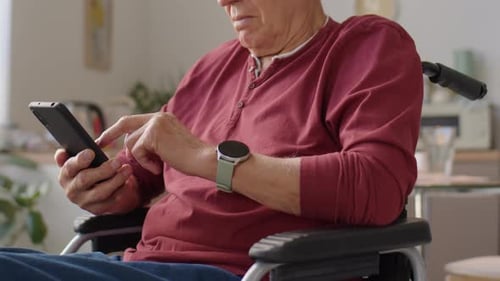
Top E-Reader Models for Seniors in 2026
Several devices stand out for their accessibility and senior-friendly features. Here are some of the most popular options:
- Amazon Kindle Paperwhite: Known for its crisp display, adjustable warm light, and waterproof design. The interface is simple, and the device supports large text and audiobooks via Bluetooth.
- Kobo Libra 2: Features a 7-inch screen, physical page-turn buttons, and customizable font settings. It supports OverDrive for easy library book borrowing.
- Barnes & Noble Nook GlowLight 4: Offers a glare-free screen, adjustable lighting, and a lightweight build. The Nook interface is straightforward and easy to navigate.
- GrandPad Tablet: While not a traditional e-reader, this tablet is designed for seniors with large icons, simplified menus, and e-book apps. It’s ideal for those who want a multi-purpose device.
Each of these devices offers unique benefits. For those who want a device strictly for reading, the Kindle and Kobo models are excellent choices. If you prefer a device that also supports video calls and web browsing, the GrandPad is worth considering.
How to Set Up an E-Reader for Maximum Accessibility
Getting started with a new device is easier than ever. Here are some steps to ensure your e-reader is set up for the most comfortable reading experience:
- Increase Text Size: Access the settings menu to adjust font size and style. Choose a font that is easy on the eyes, such as Bookerly or OpenDyslexic.
- Adjust Brightness: Set the screen brightness to a comfortable level. Many devices offer auto-brightness or warm light options for nighttime reading.
- Enable Voice Features: Turn on text-to-speech or audiobook support if available. This is especially helpful for those with vision impairments.
- Organize Your Library: Create collections or folders to keep your books organized and easy to find.
- Connect to Wi-Fi: Ensure your device is connected to download books and access updates.
For additional ease of use, consider pairing your e-reader with accessories like stands or cases with grips. If you’re looking for more accessible tech, large button TV remotes can also make everyday tasks simpler.

Tips for Choosing the Right Device
When selecting an e-reader, it’s important to match the device to the user’s needs and preferences. Here are a few tips to help make the best choice:
- Test Before Buying: If possible, try out different models in-store to see which feels most comfortable.
- Read Reviews: Look for feedback from other seniors or caregivers about ease of use and reliability.
- Consider Support: Choose a device with good customer service and accessible help resources.
- Budget: There are quality options at various price points, so consider what features are most important.
- Future-Proofing: Select a model that will receive software updates and support for years to come.
For a broader look at helpful technology, check out this list of top tech gadgets every senior should have in 2025 for more ideas to enhance daily life.
Frequently Asked Questions
What makes an e-reader suitable for older adults?
Devices with large, high-contrast screens, adjustable text sizes, and simple navigation are ideal. Features like glare reduction, lightweight design, and audiobook support also contribute to a more accessible reading experience.
Can seniors borrow library books on e-readers?
Yes, many e-readers support borrowing digital books from local libraries through apps like OverDrive or Libby. This allows users to access a wide variety of titles without leaving home.
Are there e-readers with physical buttons for easier use?
Some models, such as the Kobo Libra 2, offer physical page-turn buttons in addition to touchscreens. This can be helpful for those who prefer tactile controls or have difficulty with touch navigation.
Do e-readers help reduce eye strain?
Most modern e-readers use e-ink technology, which mimics the appearance of paper and reduces glare. Adjustable lighting and font settings further help minimize eye fatigue during long reading sessions.
Conclusion
Finding the best e readers for seniors means focusing on accessibility, comfort, and ease of use. With features like adjustable text, intuitive controls, and long battery life, today’s devices make it easier than ever for older adults to enjoy their favorite books. Whether you’re looking for a dedicated e-reader or a multi-purpose tablet, there’s an option to suit every preference and need. For those interested in more tech solutions, exploring best laptops for seniors can open up even more possibilities for staying connected and entertained.