


Smart speakers and voice assistants are making daily life easier for people of all ages, including older adults. Learning how to use Alexa for seniors can help with everything from reminders and entertainment to safety and communication. This guide explains the basics, setup, and practical tips for helping seniors get the most out of Amazon Alexa devices.
Whether you’re a family member, caregiver, or a senior yourself, understanding how voice technology can support independence is valuable. Many seniors find Alexa’s hands-free features helpful for managing routines, staying connected, and even controlling smart home devices. If you’re considering other helpful tech, you might also want to explore best video doorbells for seniors for added home safety.
Why Alexa Is Useful for Older Adults
Amazon Alexa offers a range of features that make everyday tasks simpler for seniors. The voice-activated assistant can:
- Set reminders for medication, appointments, or daily routines
- Answer questions and provide news or weather updates
- Play music, audiobooks, or radio stations
- Make phone calls or send messages hands-free
- Control compatible smart home devices like lights or thermostats
- Offer entertainment with jokes, games, and trivia
For those with limited mobility or vision, Alexa’s voice-first approach can be especially empowering. It reduces the need to navigate complex menus or small screens, making technology more accessible.
Getting Started: Setting Up Alexa for Seniors
Setting up Alexa for an older adult is straightforward. Here’s a step-by-step process to get started:
- Choose a Device: Select an Amazon Echo device, such as the Echo Dot or Echo Show. The Echo Show includes a screen, which can be helpful for video calls or visual reminders.
- Plug In and Connect: Plug the device into a power outlet. Follow the prompts in the Alexa app (available for smartphones and tablets) to connect the device to Wi-Fi.
- Sign In: Sign in with an Amazon account. If the senior doesn’t have one, you can create a new account during setup.
- Customize Settings: Adjust volume, language, and accessibility settings in the Alexa app. Enable features like voice purchasing or drop-in calling as needed.
- Teach Basic Commands: Show how to use simple voice commands, such as “Alexa, what’s the weather?” or “Alexa, play classical music.”
Consider placing the device in a central location, like the living room or kitchen, where it’s easy to hear and speak to Alexa.
Essential Alexa Commands for Seniors
Learning a few basic voice commands can help seniors feel more comfortable using Alexa. Here are some of the most useful phrases:
- “Alexa, what time is it?”
- “Alexa, remind me to take my medicine at 8 AM.”
- “Alexa, call John.” (if contacts are set up in the app)
- “Alexa, play relaxing music.”
- “Alexa, tell me a joke.”
- “Alexa, turn on the living room lights.” (if smart bulbs are installed)
Encourage seniors to start with simple requests and gradually try new features as they gain confidence.
Making Alexa Even More Senior-Friendly
There are several ways to tailor Alexa to better suit the needs of older adults:
- Enable Accessibility Features: Increase volume, slow down speech speed, or use larger text on Echo Show devices.
- Set Up Emergency Contacts: Add trusted contacts for quick calls or use Alexa’s “Ask My Buddy” skill for alerts.
- Use Routines: Automate daily tasks, such as turning on lights at sunset or playing the news each morning.
- Limit Unwanted Features: Disable voice purchasing or restrict certain skills to prevent accidental orders.
For those interested in other accessible technology, check out this guide to easy-to-use smartphones for seniors for more options.
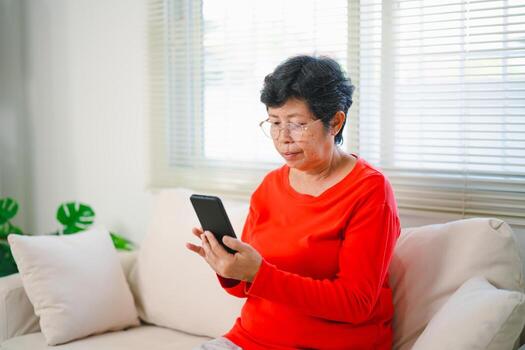
Tips for Caregivers and Family Members
Supporting a senior as they learn to use Alexa can make the process smoother and more enjoyable. Here are some practical suggestions:
- Demonstrate Frequently Used Commands: Show how to ask for the weather, set reminders, or call family members.
- Write Down Helpful Phrases: Create a simple cheat sheet of common Alexa commands for quick reference.
- Check Device Placement: Ensure the Echo device is within easy reach and can clearly hear voice commands.
- Review Privacy Settings: Discuss privacy preferences and show how to mute the microphone if desired.
- Encourage Exploration: Let seniors try new features at their own pace, building confidence over time.
For those with hearing difficulties, pairing Alexa with best hearing aids with Bluetooth or wireless headphones for elderly users can further enhance the experience.
Common Challenges and How to Overcome Them
While Alexa is designed to be user-friendly, some seniors may face challenges such as:
- Understanding Voice Commands: Practice speaking clearly and at a natural pace. Alexa improves as it learns individual voices.
- Remembering Commands: Keep a printed list of favorite requests nearby for reference.
- Connectivity Issues: Ensure the device is connected to a stable Wi-Fi network. Restart the device if problems persist.
- Privacy Concerns: Explain how to mute the microphone or review Alexa’s privacy settings in the app.
With patience and support, most seniors can become comfortable using Alexa for daily tasks and communication.
Expanding Alexa’s Capabilities for Seniors
Beyond the basics, Alexa offers additional features that can further support independence and well-being for older adults:
- Smart Home Integration: Connect Alexa to compatible lights, plugs, or thermostats for hands-free control of the home environment.
- Health and Wellness Skills: Enable skills for medication reminders, exercise routines, or guided relaxation.
- Entertainment Options: Access audiobooks, podcasts, and games designed for all ages.
- Visual Assistance: For those with Echo Show, use the screen for video calls, recipes, or photo displays.
Alexa continues to add new features, making it a flexible tool that can adapt to changing needs. For those interested in better TV audio, see tv listening devices for seniors or best earbuds for hearing impaired users for more options.
FAQ: Alexa and Senior Users
Is Alexa safe and private for seniors to use?
Alexa devices include privacy controls such as microphone mute buttons and the ability to review or delete voice recordings. It’s important to review privacy settings in the Alexa app and discuss any concerns with the user. Only trusted contacts should be added for calling or messaging features.
Can Alexa help seniors with memory or health needs?
Yes, Alexa can set medication reminders, appointment alerts, and daily routines. There are also skills for health tracking, relaxation, and even connecting with caregivers or family members in case of emergencies.
What if a senior has trouble hearing Alexa’s responses?
Volume can be increased on the device, and for those with hearing aids or headphones, Alexa can often be paired via Bluetooth. Devices like the Echo Show also provide visual feedback, which can be helpful for those with hearing difficulties.
Does Alexa require a smartphone to use?
Initial setup does require the Alexa app on a smartphone or tablet, but once configured, most features can be accessed using just voice commands. Family members or caregivers can assist with setup if needed.
Are there costs associated with using Alexa?
There is no monthly fee for basic Alexa features. Some premium skills or music services may require a subscription, but most core functions are free after purchasing the device.
Learning how to use Alexa for seniors can open up new possibilities for independence, safety, and enjoyment. With the right setup and a little practice, older adults can benefit from the convenience and support that voice assistants provide.