


Smart home technology is becoming more accessible and practical for everyone, especially for older adults who want to make daily routines easier and safer. Among the most user-friendly options are smart plugs for older adults, which allow simple control over lamps, appliances, and other devices with just a tap or a voice command. These handy gadgets can help seniors maintain independence, save energy, and enjoy greater peace of mind.
If you’re interested in exploring more ways to enhance safety and convenience at home, you might also want to read about the best video doorbells for seniors, which offer added security and easy monitoring for any household.
Why Choose Smart Plugs for Seniors?
Smart plugs for older adults are designed to make everyday living simpler. These devices plug into a standard outlet and let you control whatever is plugged into them—like lamps, fans, or coffee makers—using a smartphone app, a schedule, or even your voice through a smart speaker. For seniors, this means less bending, reaching, or fiddling with hard-to-reach switches.
Some of the main benefits include:
- Remote control: Turn devices on or off from anywhere using a phone or tablet.
- Voice activation: Use voice assistants like Alexa or Google Home for hands-free operation.
- Scheduling: Set timers or routines for lights and appliances to run automatically.
- Energy savings: Easily switch off unused devices to reduce electricity bills.
- Safety: Prevent accidents by ensuring appliances are off when not needed.
To get the most out of your smart plug, pairing it with voice assistants for elderly people can further enhance ease of use and accessibility.
Top Features to Look for in Smart Plugs for Older Adults
Not all smart plugs are created equal, especially when considering the needs of seniors. Here are the most important features to consider:
- Simple setup: Look for models that don’t require complicated installation or technical knowledge.
- Large, easy-to-read buttons: Physical controls should be clear and accessible.
- Compatibility: Ensure the plug works with popular voice assistants and both Android and iOS devices.
- Reliable app: The companion app should have a straightforward interface with large icons and clear instructions.
- Manual override: The ability to turn the plug on or off manually is helpful if the phone or Wi-Fi isn’t available.
- Safety certifications: UL or ETL listings indicate the product meets safety standards.
For those new to smart home technology, starting with a plug that offers clear instructions and responsive customer support can make a big difference.

Recommended Smart Plugs for Seniors
Based on ease of use, reliability, and features tailored to seniors, here are some of the best options available:
- Kasa Smart Wi-Fi Plug Mini: Known for its straightforward setup and compatibility with Alexa and Google Assistant. The app is user-friendly, and the compact design doesn’t block other outlets.
- Amazon Smart Plug: Integrates seamlessly with Alexa devices, making voice control simple. It’s a good choice for those already using Amazon Echo speakers.
- TP-Link Tapo Smart Plug: Offers scheduling, timer, and away mode features. The Tapo app is intuitive and supports easy device sharing with family members.
- GE CYNC Smart Plug: Features a large manual button for easy on/off control and works with both Alexa and Google Home.
- Meross Smart Plug: Compatible with Apple HomeKit, Alexa, and Google Assistant, providing flexibility for different smart home setups.
When choosing a plug, consider the devices you want to control and whether you prefer app or voice-based operation. For more tips on using voice commands, check out how to use Alexa for seniors.
How to Set Up a Smart Plug for an Older Adult
Setting up a smart plug is generally a quick process, but following a few steps can ensure a smooth experience:
- Plug the smart plug into a wall outlet.
- Download the manufacturer’s app on a smartphone or tablet.
- Follow the in-app instructions to connect the plug to your Wi-Fi network.
- Plug in the device you want to control (such as a lamp or fan).
- Name the device for easy identification, like “Living Room Lamp.”
- Test the plug by turning it on and off using the app or voice assistant.
If you’re setting up the plug for a loved one, consider demonstrating how to use both the app and any voice commands. You can also set up routines or schedules for added convenience.
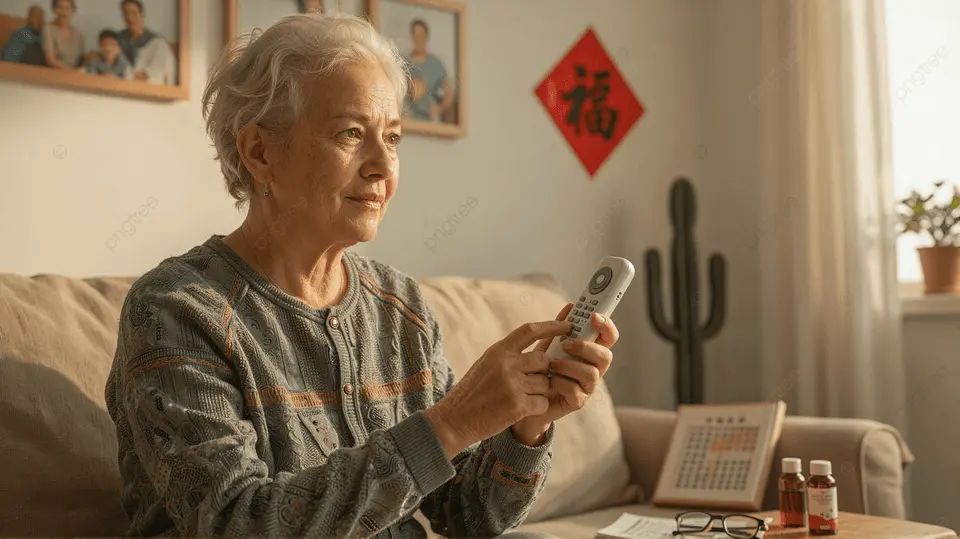
Integrating Smart Plugs with Other Senior-Friendly Devices
Smart plugs work best as part of a broader home automation system. When combined with other accessible devices, they can create a safer and more comfortable environment. For example, pairing a smart plug with a medical alert system or a smart speaker allows for voice-activated emergency lights or reminders to take medication.
To further enhance independence, consider exploring smart home devices for elderly care, which include sensors, video doorbells, and more. These products can work together to support daily routines and provide reassurance to both seniors and their families.
For those interested in using Google Home, Google Home tips for seniors offers practical advice on setting up and using voice commands for various tasks.
Tips for Safe and Effective Use
While smart plugs for older adults are generally safe, following a few guidelines ensures the best experience:
- Only use smart plugs with devices that don’t exceed the plug’s wattage rating.
- Keep the plug and connected devices away from water or damp areas.
- Regularly check for firmware updates in the app to maintain security.
- Label plugs clearly if there are multiple in the home to avoid confusion.
- Share access with trusted family members for remote support.
For a broader look at technology that can benefit seniors, see this guide to top tech gadgets every senior should have in 2025.
Frequently Asked Questions
Are smart plugs safe for seniors to use?
Yes, most smart plugs are designed with safety in mind and include certifications like UL or ETL. As long as they are used with compatible devices and kept dry, they are a safe addition to any home.
Do smart plugs require Wi-Fi to work?
Most smart plugs need a Wi-Fi connection for remote control and scheduling features. However, many also have a manual button for on/off control if Wi-Fi is unavailable.
Can smart plugs help save energy?
Absolutely. By allowing users to turn off devices remotely or set schedules, smart plugs can help reduce unnecessary power usage and lower electricity bills.
What if I don’t have a smartphone?
Some smart plugs can be controlled through voice assistants or even with a manual button. If you don’t use a smartphone, consider models that work well with smart speakers or have easy-to-use physical controls.
How many devices can I control with one smart plug?
Each smart plug controls one device or a power strip. If you want to control multiple devices individually, you’ll need a separate plug for each.
Smart plugs are a practical, affordable way to make daily life easier and safer for older adults. By choosing the right features and integrating them with other accessible technology, seniors can enjoy greater independence and peace of mind at home.