


Choosing the right computer can make a world of difference for older adults who want to stay connected, entertained, and independent. Touchscreen laptops for seniors offer a more intuitive experience, making it easier to browse the internet, video chat with family, and manage daily tasks. With large icons, simple navigation, and the ability to tap or swipe instead of using a mouse, these devices are designed to minimize frustration and maximize usability.
Many older adults find traditional computers overwhelming due to complex menus or small buttons. Touch-enabled laptops bridge this gap by providing a familiar, tablet-like interface combined with the power and flexibility of a full computer. Whether you’re looking for a device for email, video calls, or hobbies like photo sharing, there are options tailored to the needs of older users.
For those seeking even more straightforward options, consider exploring easy computers for older adults that focus on simplicity and accessibility.
Why Touchscreen Devices Are Ideal for Older Adults
Touch-based laptops are particularly well-suited for seniors because they combine the familiarity of smartphones and tablets with the versatility of a laptop. Here are a few reasons why these devices stand out:
- Intuitive Controls: Tapping, swiping, and pinching to zoom are natural gestures that require less dexterity than using a mouse or trackpad.
- Larger Icons and Text: Most models allow you to adjust display settings, making on-screen elements easier to see and interact with.
- Accessibility Features: Built-in voice assistants, screen readers, and magnification tools help those with vision or mobility challenges.
- All-in-One Convenience: Many touchscreen laptops can be used in tablet mode, offering flexibility for reading, watching videos, or browsing the web.
Key Features to Look for in Touch-Friendly Laptops
When shopping for a device that’s easy for older adults to use, certain features can make a significant difference in daily comfort and confidence. Here’s what to prioritize:
- Responsive Touchscreen: The screen should react quickly to taps and gestures, with minimal lag.
- Lightweight Design: A lighter laptop is easier to carry from room to room.
- Long Battery Life: Look for models that can last through a day of use without frequent charging.
- Simple Operating System: Devices running Windows 11 in S Mode, Chrome OS, or simplified interfaces are often less confusing.
- Good Audio and Camera: Clear speakers and a quality webcam make video calls with family more enjoyable.
- Durable Build: A sturdy chassis and spill-resistant keyboard can help prevent accidental damage.
Popular Touchscreen Laptop Options for Seniors
There are several models on the market that cater to the needs of older adults. Some of the most recommended options include:
- Chromebooks: Known for their simplicity and fast startup, Chromebooks are ideal for web browsing, email, and video calls. The interface is uncluttered, and updates happen automatically.
- Windows Touch Laptops: Devices like the Microsoft Surface Go or Lenovo Yoga offer a full Windows experience with a touch-optimized interface. Many come with stylus support for handwriting or drawing.
- Convertible 2-in-1s: These laptops can be folded or detached to become tablets, offering flexibility for different uses.
- Specialized Tablets: Products like the GrandPad are specifically designed for older adults, with simplified menus and large, easy-to-read icons.
For a broader overview of suitable options, see our guide to the best laptops for seniors for more recommendations and detailed comparisons.
Accessibility and Ease-of-Use Features
Modern laptops with touchscreens often come equipped with a range of accessibility tools. These can be especially helpful for seniors who may have vision, hearing, or mobility challenges. Here are some of the most useful features:
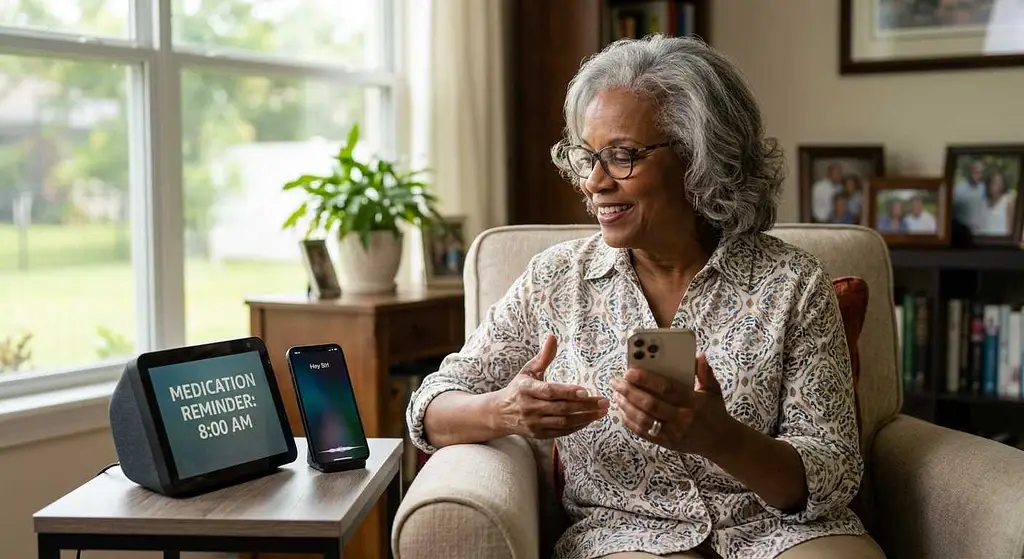
- Voice Assistants: Built-in helpers like Google Assistant, Cortana, or Siri can answer questions, set reminders, and even dictate emails.
- Screen Magnifiers: Easily enlarge text and images for better visibility.
- High Contrast Modes: Improve readability by increasing the difference between text and background colors.
- Closed Captioning: Enables subtitles for videos and video calls.
- Customizable Keyboards: On-screen keyboards can be resized and repositioned for easier typing.
For even more ways to make the home environment safer and more accessible, consider integrating smart lights for elderly safety or motion sensor lights for seniors to reduce fall risks.
Tips for Setting Up a Senior-Friendly Laptop
Getting started with a new device doesn’t have to be intimidating. Here are some practical steps to make a touchscreen laptop even more user-friendly for older adults:
- Personalize the Home Screen: Pin frequently used apps (email, browser, video chat) to the main screen for quick access.
- Increase Font Size: Adjust display settings so that text and icons are easy to read.
- Enable Accessibility Tools: Turn on voice commands, magnifiers, or screen readers as needed.
- Install Security Software: Protect against viruses and scams with reputable antivirus programs.
- Set Up Automatic Updates: Keep the system secure and running smoothly without manual intervention.
- Provide a Simple Guide: Create a printed or digital cheat sheet with step-by-step instructions for common tasks.
Comparing Touchscreen Laptops to Other Senior Devices
While touch-enabled laptops are an excellent choice for many, it’s worth considering how they compare to other devices designed for older adults. Tablets, for example, are even more portable and often simpler, but may lack the full functionality of a laptop. On the other hand, desktop computers with large monitors can be easier on the eyes but are less flexible for use around the house. For those who want a device strictly for communication and basic tasks, products like the GrandPad tablet or large-button phones may be ideal.
For more information about devices tailored for older users, including phones with large buttons and easy interfaces, check out this comprehensive guide to the best phones for seniors.
If television controls are a challenge, large button TV remotes can also help make everyday technology more accessible.
Frequently Asked Questions
Are touchscreen laptops difficult to learn for seniors?
Most older adults find touch-based laptops easier to learn than traditional computers. The ability to tap, swipe, and zoom feels more natural, especially for those who have used smartphones or tablets before. Many devices also include tutorials and help menus to guide new users.
What is the best operating system for older adults?
Chrome OS and Windows 11 in S Mode are both popular for their simplicity and security. Chromebooks are especially user-friendly, while Windows devices offer more flexibility. The best choice depends on the user’s comfort level and intended use.
Can accessibility features be added after purchase?
Yes, most laptops allow you to enable or adjust accessibility settings at any time. Features like voice assistants, magnifiers, and high-contrast modes can be turned on through the device’s settings menu, making it easy to customize the experience as needs change.
Conclusion
Touch-enabled laptops are a practical solution for older adults seeking an intuitive and reliable way to stay connected. With the right features and setup, these devices can empower seniors to enjoy technology with confidence. Whether you’re shopping for yourself or a loved one, focusing on ease of use, accessibility, and comfort will ensure a positive experience. For those who want even more simplicity, don’t forget to explore dedicated senior devices and accessories that can further enhance daily living.